01Changing visuals with a dial
 PrismBeatGet PrismBeat
 A free Stream Deck plugin
A Spotify visualiser for your Stream Deck.
PrismBeat is a small, independently made plugin with live audio-reactive visuals, a now-playing display and configurable Spotify controls.
See how it works ↓Free · macOS and Windows
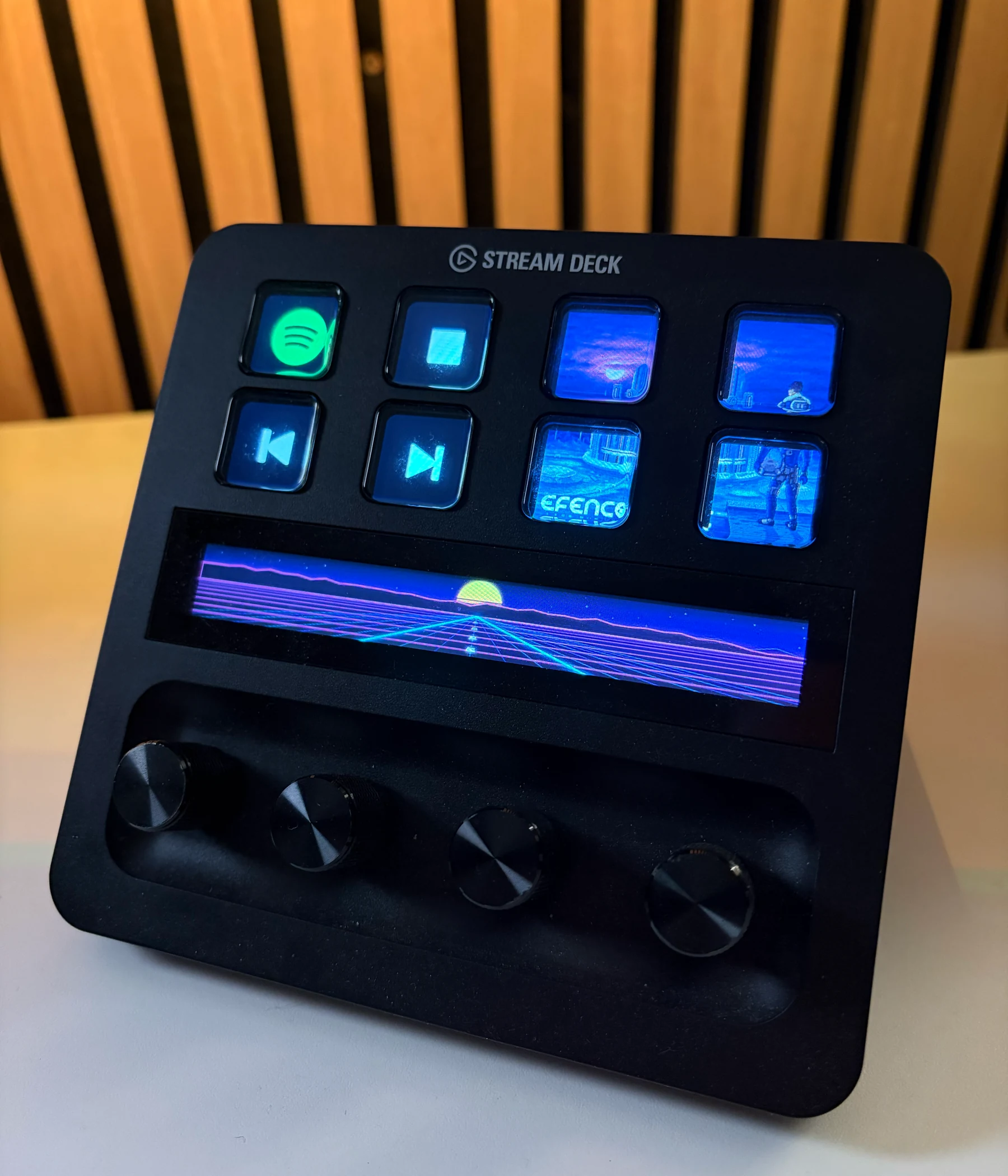
Running on a real Stream Deck +
Visuals
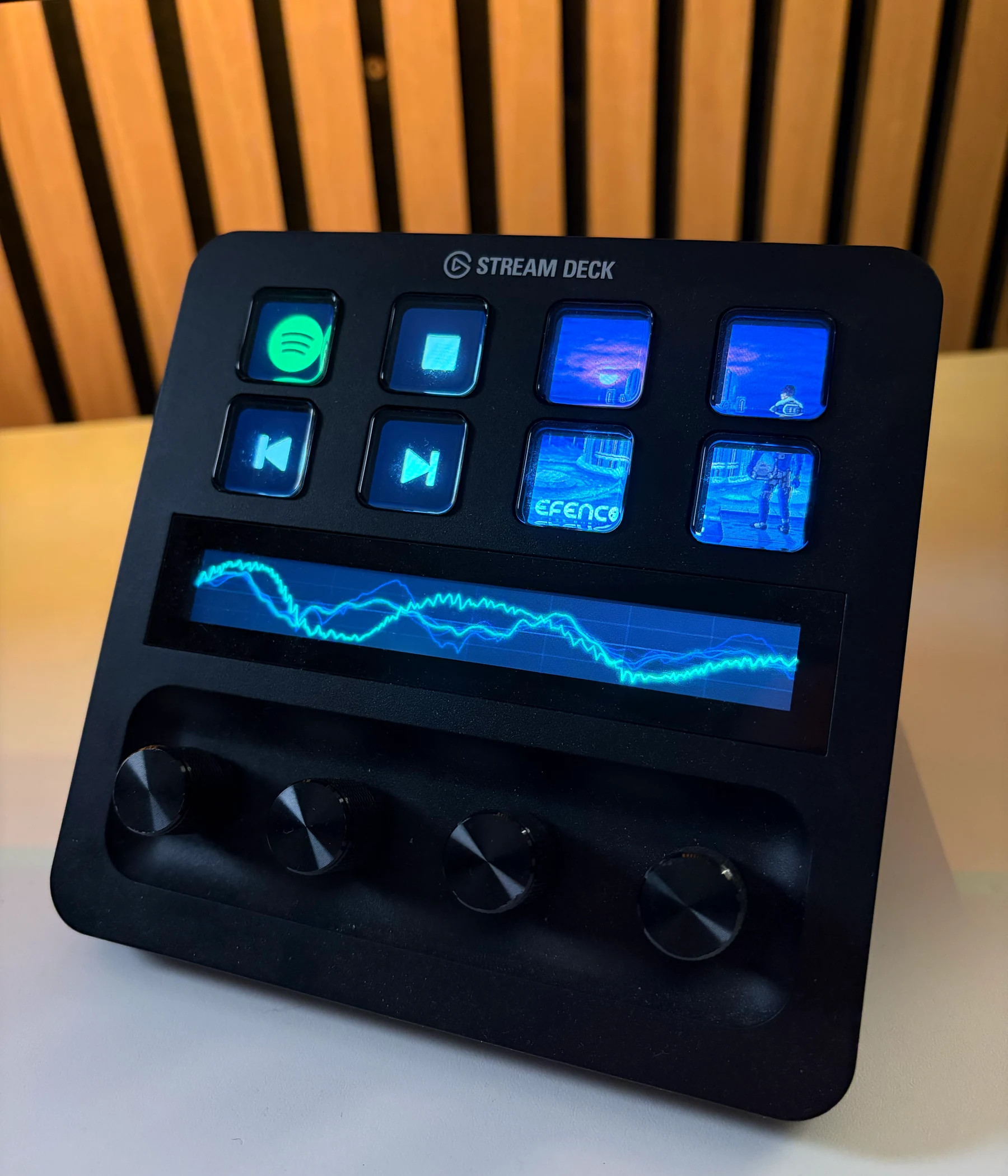
There are 19 audio-reactive visualisations.
Each visual uses live frequency, level, beat or stereo data from Spotify. PrismBeat renders one continuous 800 × 100 display on Stream Deck + and 1200 × 100 on Stream Deck + XL.

17Outrun highway
Actual Stream Deck + renderer frame · 800 × 100Demo
Here it is on a real Stream Deck +.
One clip shows visual selection with a dial. The other shows the single-key and 2 × 2 artwork layouts.
02Single-key and 2 × 2 artwork
NOW PLAYING
PRESS visual ↔ track
Compatibility
What you need
OSmacOS 13+ / Windows 10+
Full experienceStream Deck + / + XL
SoftwareStream Deck 6.9+
MusicSpotify desktop app
Stream Deck + and Stream Deck + XL support the full-width touch strip and dials. The classic Stream Deck XL supports keypad actions, artwork and visual preset buttons. Audio analysis stays on your computer and is never recorded or uploaded. macOS requires Screen Recording permission; Windows captures Spotify audio directly and does not use the microphone.
Get PrismBeat
PrismBeat is free and open source.
The Marketplace version is being prepared. Source code and build instructions are available on GitHub.